How to Save Snapchat Stories Online?
Snapchat stories disappear after 24 hours, which makes it easy to lose favorite moments. With StoryGrab, you can save any public story, highlight, or memory directly to your device in HD or 4K MP4 format. It’s a fast, private, and secure way to download Snapchat stories without needing an app or login.
StoryGrab runs entirely in your browser and works perfectly on Android, iPhone, and PC. You can download stories either by pasting a Snapchat story link or simply entering a Snapchat username to view and save stories instantly.
With StoryGrab’s Snapchat Story Viewer, you can easily watch public stories anonymously and download them to your device in just a few clicks.
Save Snapchat Stories on Android
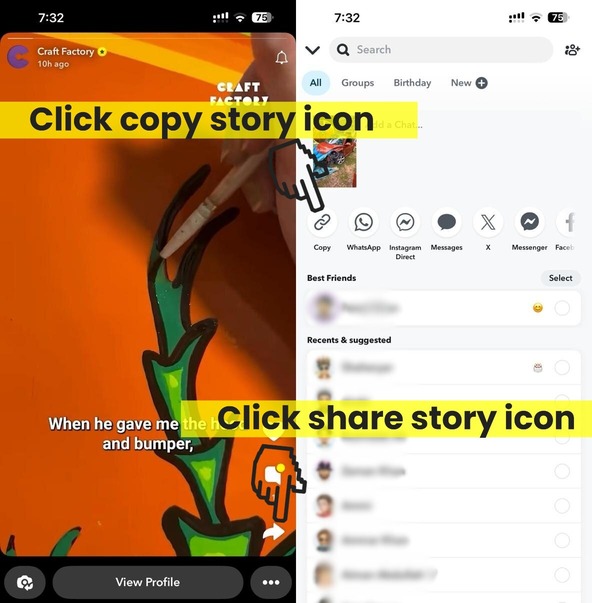
Here’s how to save stories or highlights on Android phones:
- Open the Snapchat app and go to the story or memory you want to keep.
- Tap the Share icon and select Copy Link.
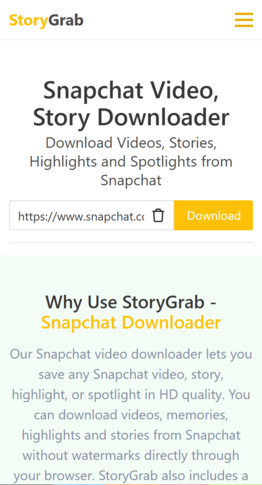
- Launch StoryGrab.io in your Chrome or mobile browser.
- Paste the copied story link or enter the Snapchat username into the field and tap Download Story.
- Choose your preferred quality (HD or 4K) and save the story file. You can find it later in your phone’s Gallery or Downloads folder.

Save Snapchat Stories on iPhone
If you are saving stories on iPhone or iPad:
- Copy the story or highlight link from the Snapchat app.
- Open the Safari browser and go to StoryGrab.io.
- Paste the copied link and tap Download Story.
- When the download finishes, open Files → Downloads and tap the file. Then select Share → Save Video to move it to your Photos app.
For iOS 12 or older, use the Documents by Readdle app to visit StoryGrab.io from its built-in browser and save the story video there.
Save Snapchat Stories on PC
You can also save Snapchat stories and highlights directly from a desktop or laptop:
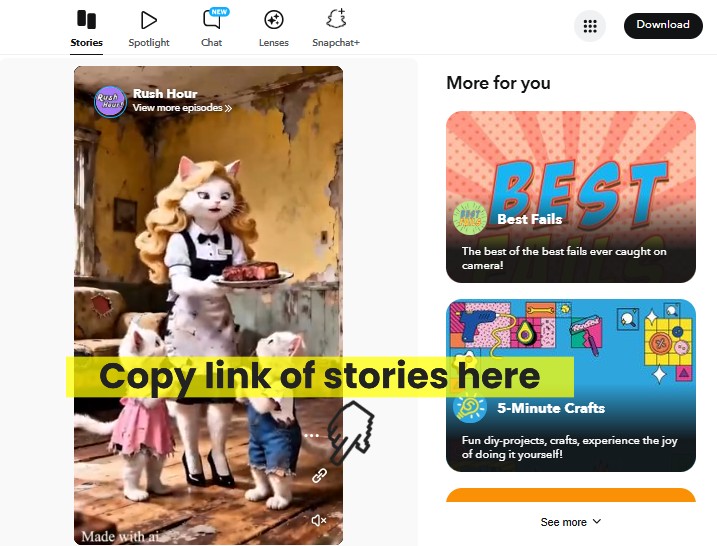
- Copy the story link from Snapchat or Snapchat Web.
- Visit StoryGrab.io in Chrome, Edge, or Firefox.
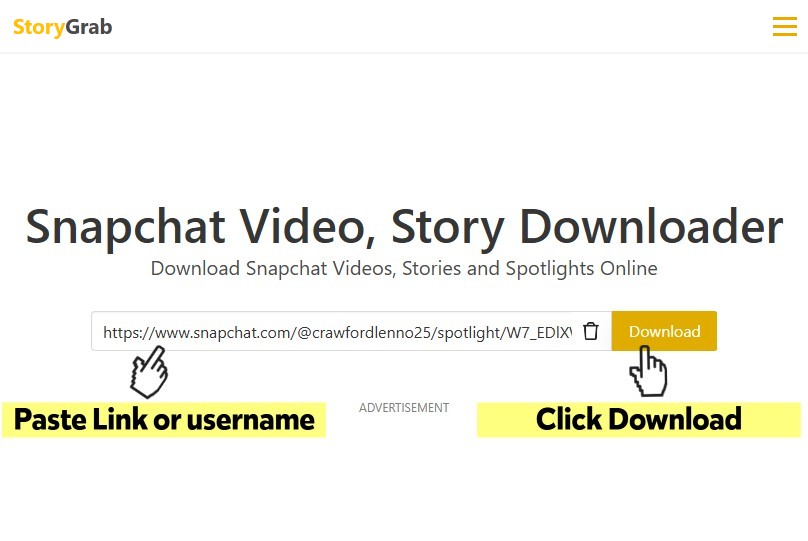
- Paste the link and click Download Story.
- Choose the quality and save it to your computer’s Downloads folder.
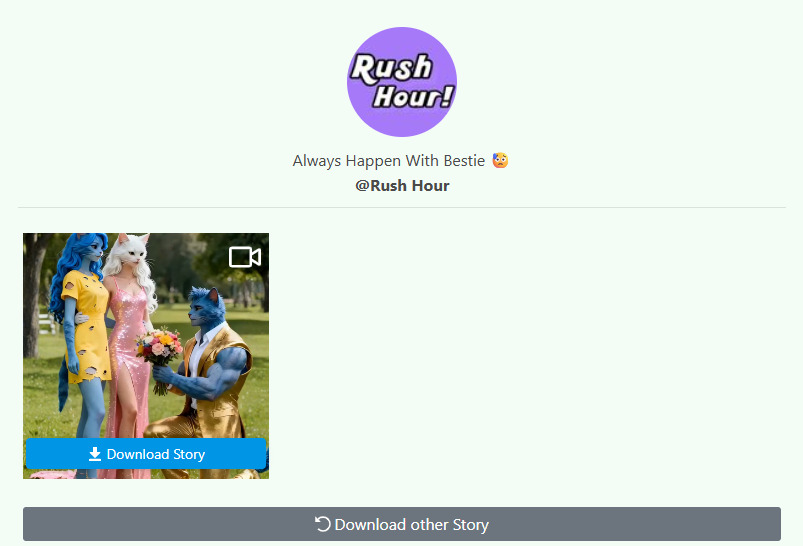
Why Use StoryGrab for Snapchat Stories
- Works for public Snap Stories, Highlights, and Memories.
- Lets you view and download stories using a Snapchat username.
- Allows anonymous Snapchat Story Viewer to preview before downloading.
- Preserves original resolution and sound from Snapchat.
- 100% browser-based. No app, no login, no watermark.
- Safe, private, and completely free to use.